
UPI Casino India

For most Indian players, “casino payment” means UPI: pay from GPay, PhonePe, Paytm or a bank app and wait for a ping. Here is how that usually works on 1GO Plus — with live cashier screenshots — without claiming every rail is always online.
Live cashier on 1GO Plus
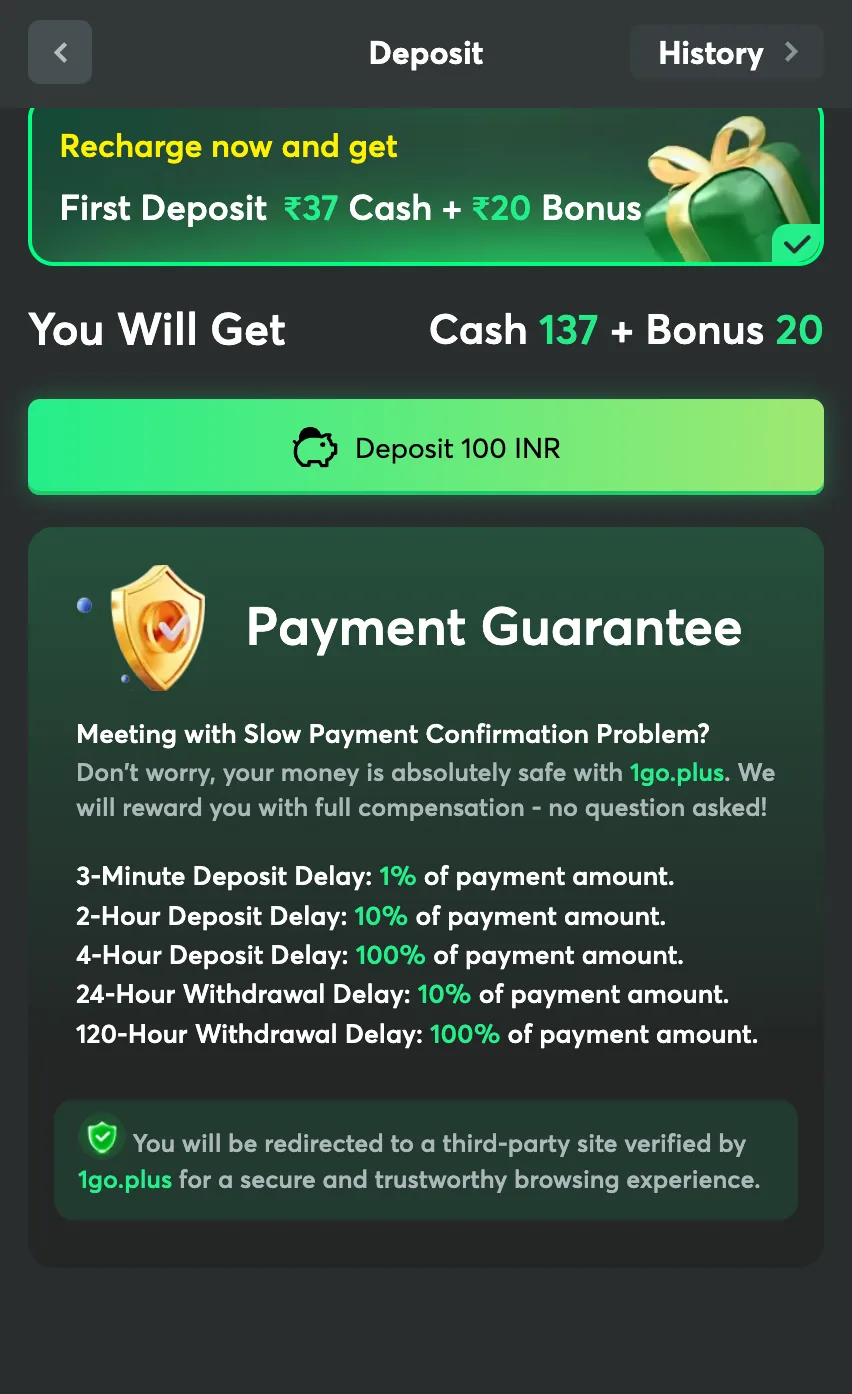
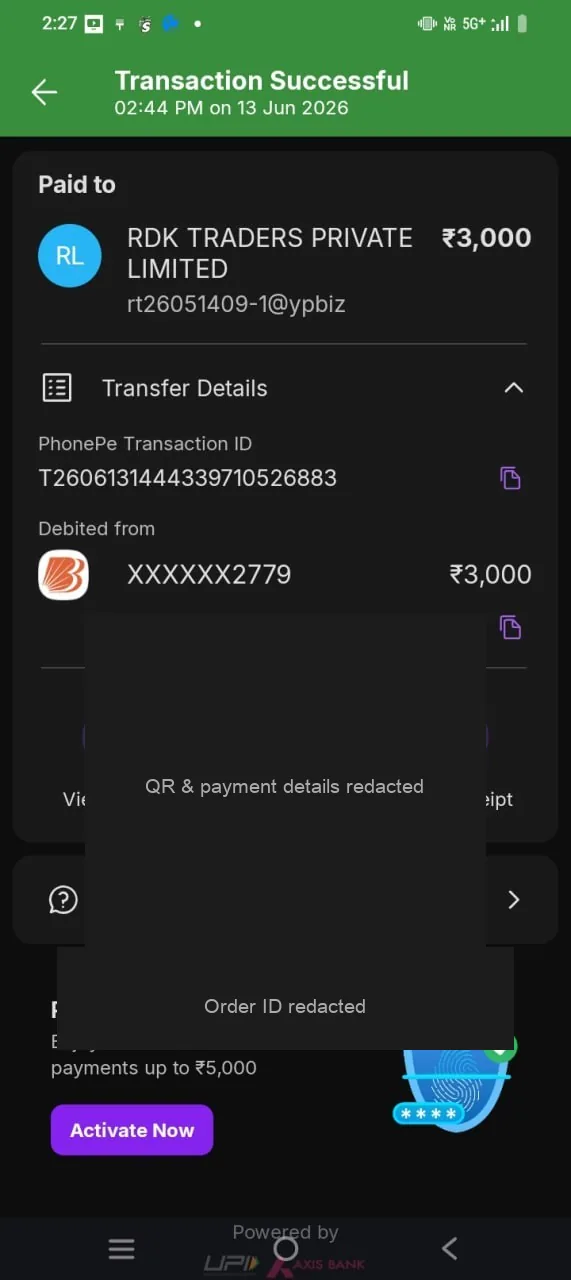
Why UPI shows up on casino cashiers
UPI moves INR between banks and apps in near real time. Compared with slow international cards or crypto-only flows, it is the path players already use for rent and groceries. Operators that target India keep UPI (or UPI-style) rails in deposit and withdraw when the payment desk allows it.
“UPI casino” in search is not a special license type — it means you can fund and cash out with UPI on that product, when the cashier lists it.
Deposit with UPI — typical path
- Log in on 1goplus.com only — verify the domain.
- Open Wallet / Deposit / Cashier.
- Pick a UPI or INR method that actually appears for your account (names vary by build).
- Enter amount → confirm. Complete payment in GPay / PhonePe / bank UPI when the intent opens (or scan QR if shown).
- Return to the casino tab. Wait for balance update (often seconds if the payment succeeded).
- Optional: check first-deposit activity if you are new — bonus up to ₹1777.
GPay, PhonePe, Paytm — same idea, different apps
| App | How it usually connects | Watch for |
|---|---|---|
| Google Pay (GPay) | UPI intent / collect from cashier → approve in GPay | Wrong account selected; abandoned intent |
| PhonePe | Same UPI flow when PhonePe is the default UPI app | Bank downtime; daily UPI limits |
| Paytm | UPI inside Paytm if that rail is listed | Wallet vs UPI bank account confusion |
| BHIM / bank apps | SBI, HDFC, ICICI, Axis, etc. as the UPI handle | Bank maintenance windows |
Support means “whatever cashier lists today,” not a promise that every app works every hour. If only one method shows, use that method — do not invent a side payment to a stranger.
Withdrawal with UPI — typical path
Searches like upi withdrawal games mean the same product job: take winnings out of a real-money game wallet over UPI. On 1GO Plus you do that in cashier on 1goplus.com after you have free balance — not on this brand site.
- Finish KYC before you need a large first cashout.
- Confirm free-to-withdraw balance (bonus may still be locked — bonus guide).
- Open Withdraw → UPI / linked INR rail → amount + VPA or saved details as asked.
- Submit. Status moves pending → processing → paid (labels vary).
- Confirm credit on bank SMS or the UPI notification. Keep the UTR if anything sticks.
After approval, many UPI cashouts land in minutes to a few hours — not a fixed SLA. If status stays pending withdrawal, use the checklist on the withdrawal guide (KYC, bonus locks, VPA, support with request ID). Speed framing: instant withdrawal casino. Real-money game context: real money earning games.
Practical tips (fewer stuck payments)
- Same details. Deposit and withdraw on consistent names / VPAs cuts review friction.
- No random QR codes. Telegram “agents” are not the cashier. Pay only inside the official domain.
- Keep UTRs. Screenshot failed or stuck payments before you write support.
- Test small. A small loop first — deposit, play a little, withdraw — then scale.
- One open intent. Do not start three deposits at once; abandon cleanly and retry from cashier.
- Official install only. If you want a home-screen icon, use the PWA on 1go.plus (install guide) — not random APKs.
Quick checklist before you pay
| Check | Why |
|---|---|
Official domain 1goplus.com | Clones steal deposits |
| Method visible in cashier | Only live rails work |
| Amount within min/max | Shown next to the method |
| KYC status | Incomplete KYC blocks first cashouts |
| Bonus wagering | Can lock balance — bonus guide |
| Payment Guarantee text (if shown) | Product terms in-app — not this page’s invention |
What usually goes wrong
Problem Likely cause What to do UPI app OK, casino balance 0 Delay, closed session, or failed callback Wait, refresh, support with UTR — no second off-platform pay Method missing Maintenance / not offered to account Try later or another listed rail; do not use agents Withdraw pending long KYC, bonus lock, queue Withdrawal guide + in-app support Asked to pay on Telegram Scam / clone Stop — only cashier on official domain
FAQ
Is UPI free?
Bank/app UPI transfers are usually free for the user. The casino may still show product rules
(min cashout, fees if any) next to the method. Read that line before you confirm.
Can I use UPI on desktop?
Often yes via QR or intent to your phone’s UPI app. Many players still prefer mobile for fewer
broken handoffs. Either way, stay on 1goplus.com.
Does first deposit bonus work with UPI?
If the activity accepts the method you used, yes — first-deposit rewards are framed as cash gifts
up to ₹1777 for new players on the product. Details: bonus page.
Is this page the cashier?
No. This is the official brand guide. Money moves only inside the play product after you leave
via the CTA / play link.